


Introduction
Bluetooth is one of the most widely used wireless technologies in the modern world, yet many people still do not fully understand how it actually works. From connecting wireless headphones and speakers to transferring files between devices, Bluetooth has become an essential part of everyday digital life. It allows devices to communicate without cables, making technology more convenient and portable.
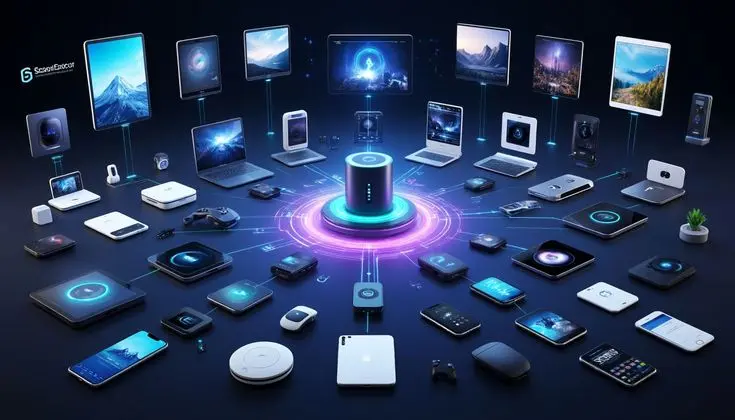
At its core, Bluetooth works by using short-range radio waves to send data between devices. These devices can include smartphones, laptops, tablets, smartwatches, and even home appliances. The connection is automatic, fast, and energy-efficient, which is why Bluetooth has become the standard for wireless communication in personal electronics.
Understanding how Bluetooth works helps users make better use of their devices, troubleshoot connection issues, and appreciate the technology behind everyday convenience. Whether you are listening to music on wireless earbuds or connecting your phone to a car system, Bluetooth is silently working in the background to make communication seamless.
What is Bluetooth?
Bluetooth is a wireless communication technology that allows devices to exchange data over short distances using radio waves. It was developed in the 1990s as a way to replace cables and create a universal standard for connecting electronic devices.
The name “Bluetooth” comes from a historical reference to a Danish king, symbolizing the unification of communication systems. Today, Bluetooth is managed by the Bluetooth Special Interest Group (SIG), which ensures global compatibility across devices.
Bluetooth operates in the 2.4 GHz frequency band, which is the same range used by Wi-Fi routers and some other wireless devices. However, it uses a special method called “frequency hopping” to avoid interference and maintain a stable connection.
Unlike Wi-Fi, which is designed for long-distance internet access, Bluetooth is designed for short-range communication. Typically, Bluetooth works within a range of 10 to 100 meters depending on the version and device power.
Why is Bluetooth Important?
Bluetooth plays a crucial role in modern technology because it simplifies communication between devices without needing physical connections. This makes it highly convenient for users in both personal and professional environments.
One of the biggest reasons Bluetooth is important is its ability to reduce clutter. Instead of using multiple cables for headphones, keyboards, speakers, and file transfers, Bluetooth allows all these devices to connect wirelessly.
It is also extremely energy-efficient, especially in newer versions like Bluetooth Low Energy (BLE). This makes it ideal for wearable devices such as fitness trackers and smartwatches that require long battery life.
Another important factor is compatibility. Almost all modern devices come with built-in Bluetooth support, making it a universal standard for wireless communication.
Bluetooth also enhances mobility. Users can move freely without being physically connected to their devices. For example, wireless earbuds allow users to listen to music while walking, exercising, or working.
How Does Bluetooth Work? Step-by-Step Guide
To understand how Bluetooth works, it is important to break it down into simple steps. The process involves discovery, pairing, connection, and data transfer.
1. Device Discovery
When Bluetooth is turned on, devices start searching for other nearby Bluetooth-enabled devices. This process is called discovery. Devices broadcast signals to let others know they are available for connection.
2. Pairing Process
Once two devices find each other, they go through a process called pairing. During pairing, both devices exchange security information such as PIN codes or confirmation prompts to ensure a secure connection.
This step prevents unauthorized access and ensures that only trusted devices can connect.
3. Establishing Connection
After successful pairing, a secure wireless connection is created between the devices. This connection allows them to communicate and share data in real time.
4. Data Transmission
Once connected, devices can start exchanging data. This can include music files, audio signals, documents, or control commands. Bluetooth uses radio waves to transmit this data efficiently over short distances.
5. Frequency Hopping Technology
Bluetooth constantly switches between different frequencies within the 2.4 GHz band. This technique is called frequency hopping spread spectrum (FHSS). It helps avoid interference from other wireless devices and ensures a stable connection.
6. Low Energy Communication
Modern Bluetooth versions use low energy modes to save battery life. This is especially useful for small devices like sensors and wearables that need long-term connectivity.
Benefits of Bluetooth
- Wireless convenience eliminates the need for cables
- Easy pairing process between devices
- Energy-efficient technology for battery-powered devices
- Wide compatibility across smartphones, laptops, and accessories
- Supports audio, data transfer, and device control
- Secure connection with encryption features
- Affordable and widely available in almost all devices
Disadvantages / Risks of Bluetooth
- Limited range compared to Wi-Fi
- Slower data transfer speeds than wired connections
- Possible interference from other wireless devices
- Security risks if devices are not properly paired
- Battery consumption on always-on devices
- Connection drops in crowded signal environments
Common Mistakes to Avoid
Many users face Bluetooth issues due to simple mistakes that can easily be avoided.
One common mistake is keeping Bluetooth turned on all the time, which can drain battery life unnecessarily. It is better to turn it off when not in use.
Another mistake is pairing with unknown devices. This can lead to security risks or unauthorized access.
Users also often forget to update their device software. Outdated firmware can cause connectivity issues and reduce performance.
Keeping devices too far apart is another problem. Bluetooth has a limited range, and exceeding it can cause disconnection.
FAQs
1. What devices use Bluetooth technology?
Bluetooth is used in smartphones, laptops, tablets, wireless headphones, speakers, smartwatches, car systems, and smart home devices.
2. Is Bluetooth safe to use?
Yes, Bluetooth is generally safe. It uses encryption and authentication to protect data, although users should avoid unknown devices.
3. What is the range of Bluetooth?
Most Bluetooth devices work within 10 meters, while newer versions can reach up to 100 meters under ideal conditions.
4. Does Bluetooth use internet?
No, Bluetooth does not require internet. It works through short-range radio waves.
5. Why does Bluetooth disconnect sometimes?
It can disconnect due to distance, interference, low battery, or software issues.
6. What is Bluetooth Low Energy?
It is a power-efficient version of Bluetooth designed for devices that need long battery life like fitness trackers and sensors.
Expert Tips & Bonus Points
Always keep your Bluetooth firmware updated to ensure better performance and security. New updates often improve speed and stability.
Try to keep devices within a short range for the best connection quality. Avoid obstacles like walls when possible.
Disable Bluetooth when not in use to save battery life and reduce security risks.
If you experience frequent disconnections, reset your Bluetooth settings and re-pair the devices.
Use trusted devices only to avoid potential security threats or data leaks.
Conclusion
Bluetooth has become an essential part of modern digital life, enabling seamless wireless communication between devices. From listening to music on wireless headphones to transferring files between smartphones, Bluetooth makes everyday tasks easier and more efficient.
Understanding how Bluetooth works helps users appreciate the technology behind their devices and solve common connectivity issues more effectively. It operates using short-range radio waves, secure pairing systems, and advanced frequency-hopping techniques to ensure stable communication.
Despite some limitations like range and interference, Bluetooth continues to evolve with improved versions offering faster speeds, better security, and lower energy consumption.
